
Draft. The download is still missing. Steps and screenshots are from macOS 27 in Spanish, with the file marked by hand as downloaded.
How to open TakeHunt.
Not signed yet: macOS will ask for permission the first time.
Four steps
- Double-click the
.dmgand drag TakeHunt to Applications.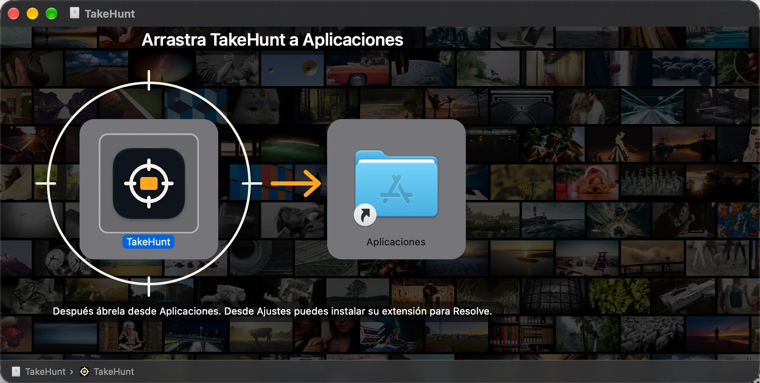
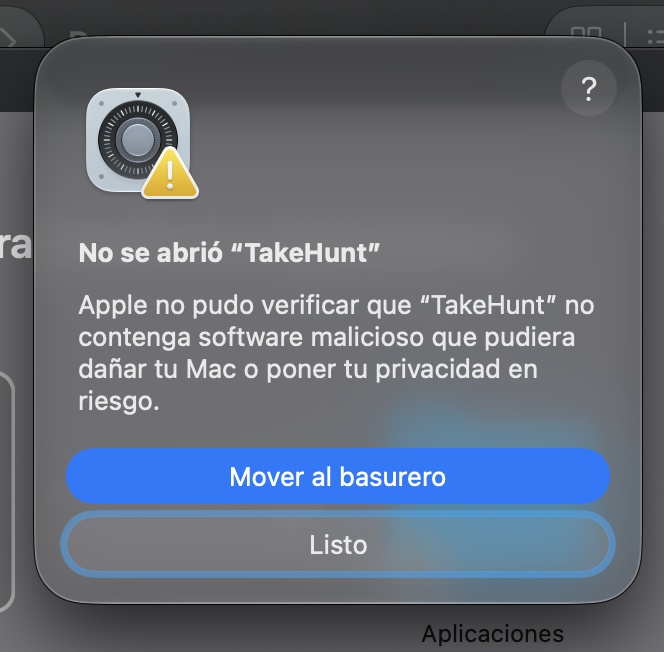
- Open TakeHunt from Applications. macOS says it could not verify it. Click “Done”, not “Move to Trash”.
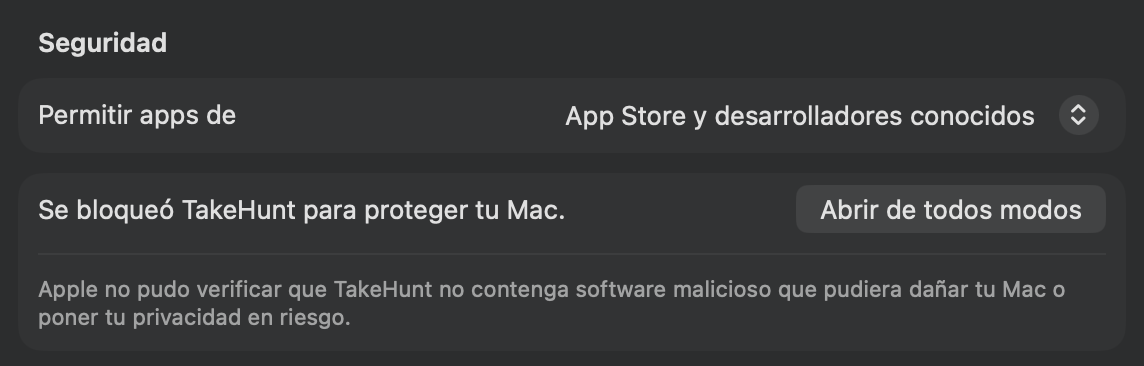
- Go to System Settings › Privacy & Security, scroll down to Security and click “Open Anyway”.
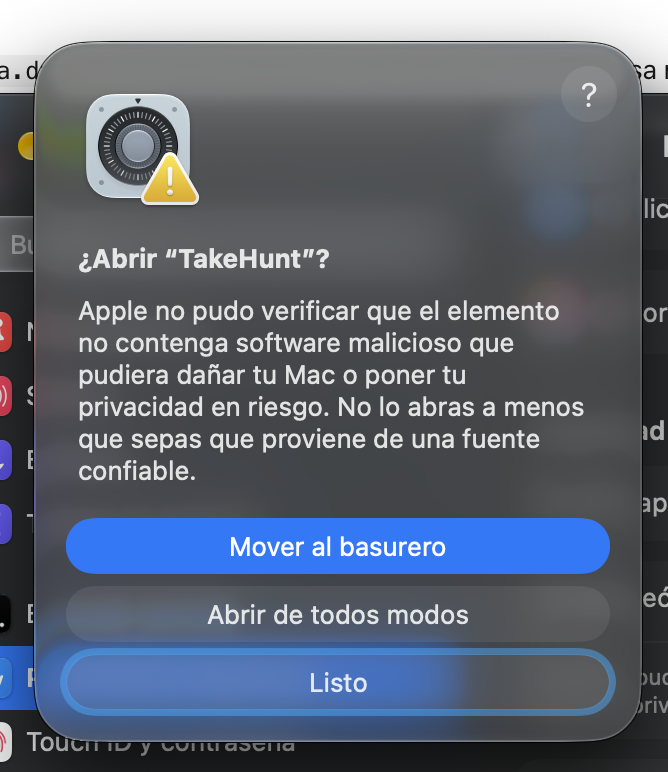
- macOS asks again. Click “Open Anyway” and confirm with Touch ID or your Mac password.
You only need to do this the first time. After that it opens like any other app.
If you use Terminal
This command removes the downloaded-file mark, and macOS stops asking for permission:
xattr -dr com.apple.quarantine /Applications/TakeHunt.appCheck that the file is ours
Because it does not carry Apple's signature, you can check it yourself. In Terminal, type this with the name of your file:
shasum -a 256 ~/Downloads/TakeHunt.dmgThe result must match this one, letter by letter:
[Missing: SHA-256 of the published version.]
If it does not match, do not open it and write to us at soporte@takehunt.com.
Analysis of this version on VirusTotal: [Missing: link.]
Questions
Why does macOS block it?
Apple only lets apps through without asking if they are signed by a developer registered in its program and checked by its system. TakeHunt is not yet. The notice does not mean anything bad was found in it.
My antivirus flags it. What do I do?
Apps without Apple's signature can trigger false alarms. First check the SHA-256 above. If it matches and the alarm continues, write to us with the antivirus name and the exact message.
What do I need?
A Mac with Apple Silicon (M1 or later) and macOS 14 Sonoma or later. It does not work on Intel Macs.
Draft of November 6, 2026.